
Android 17 Beta 1 Rolls Out to 19 Google Pixel Devices With Camera and Performance Boost
Google releases first Android 17 beta for Pixel phones from Pixel 6 series to Pixel 10 Pro Fold bringing smoother performance camera upgrades improved memory management and refined user interface
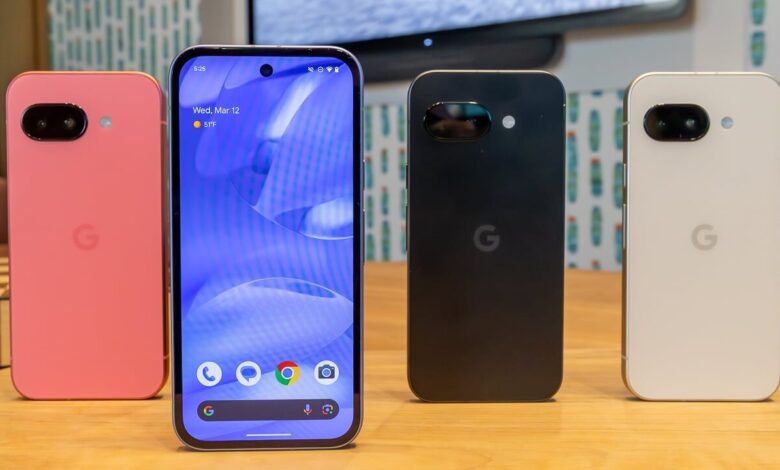
Google has officially begun rolling out Android 17 Beta 1 to a wide range of Pixel smartphones and tablets, giving users early access to the next major version of its mobile operating system. The beta release allows eligible device owners to experience new features and system improvements months before the stable public launch.
This first beta is designed specifically for Pixel devices, starting from the Pixel 6 lineup and extending to the latest Pixel 10 series models, including foldable variants. With this move, Google is continuing its tradition of offering Pixel users a front row seat to upcoming Android innovations.
The list of supported devices includes Pixel 6, Pixel 6 Pro, Pixel 6a, Pixel 7, Pixel 7 Pro, Pixel 7a, Pixel 8, Pixel 8 Pro, Pixel 8a, Pixel 9, Pixel 9 Pro, Pixel 9 Pro XL, Pixel 9 Pro Fold, Pixel 9a, Pixel 10, Pixel 10 Pro, Pixel 10 Pro XL, Pixel 10 Pro Fold and the Pixel Tablet. In short, most major Pixel models released after Pixel 6 are eligible for the Android 17 Beta 1 update.
Android 17 Beta 1 focuses heavily on performance refinement. Google has introduced system level optimizations aimed at making devices feel faster and more responsive. App switching is smoother, background processes are handled more efficiently and overall stability has been improved, even on devices with limited RAM. Enhanced memory management ensures that multitasking feels more seamless.


Camera and media capabilities have also received attention. Improvements to codec support enhance both photo and video performance, offering better playback and capture quality. While the changes may not be dramatic at first glance, users are expected to notice more consistent results and improved reliability during daily use.
The update also brings visual refinements. Interface animations appear smoother, icons look more polished and the overall user interface feels cleaner. Google has also improved support for large screen devices, which benefits foldable phones and tablets by optimizing app layouts and multitasking experiences.
Installing Android 17 Beta 1 on an eligible Pixel device is relatively straightforward. Users need to visit the Android Beta Program website, sign in with their Google account and enroll their supported Pixel device by selecting the opt in option. Once enrolled, the update can be downloaded directly through the phone settings under system and software update. After installation instructions are followed, the device will reboot with the new beta version.
However, as with any beta software, users should keep in mind that minor bugs or stability issues may still exist. Google typically uses the beta phase to gather feedback and fix issues before the final stable version is released to the public.
With Android 17 Beta 1, Google is clearly focusing on refinement rather than radical redesign. Faster performance, improved camera handling and better optimization for large screen devices signal a steady evolution aimed at delivering a smoother and more reliable Android experience. For Pixel users eager to try the latest features, the beta rollout marks an exciting step forward.